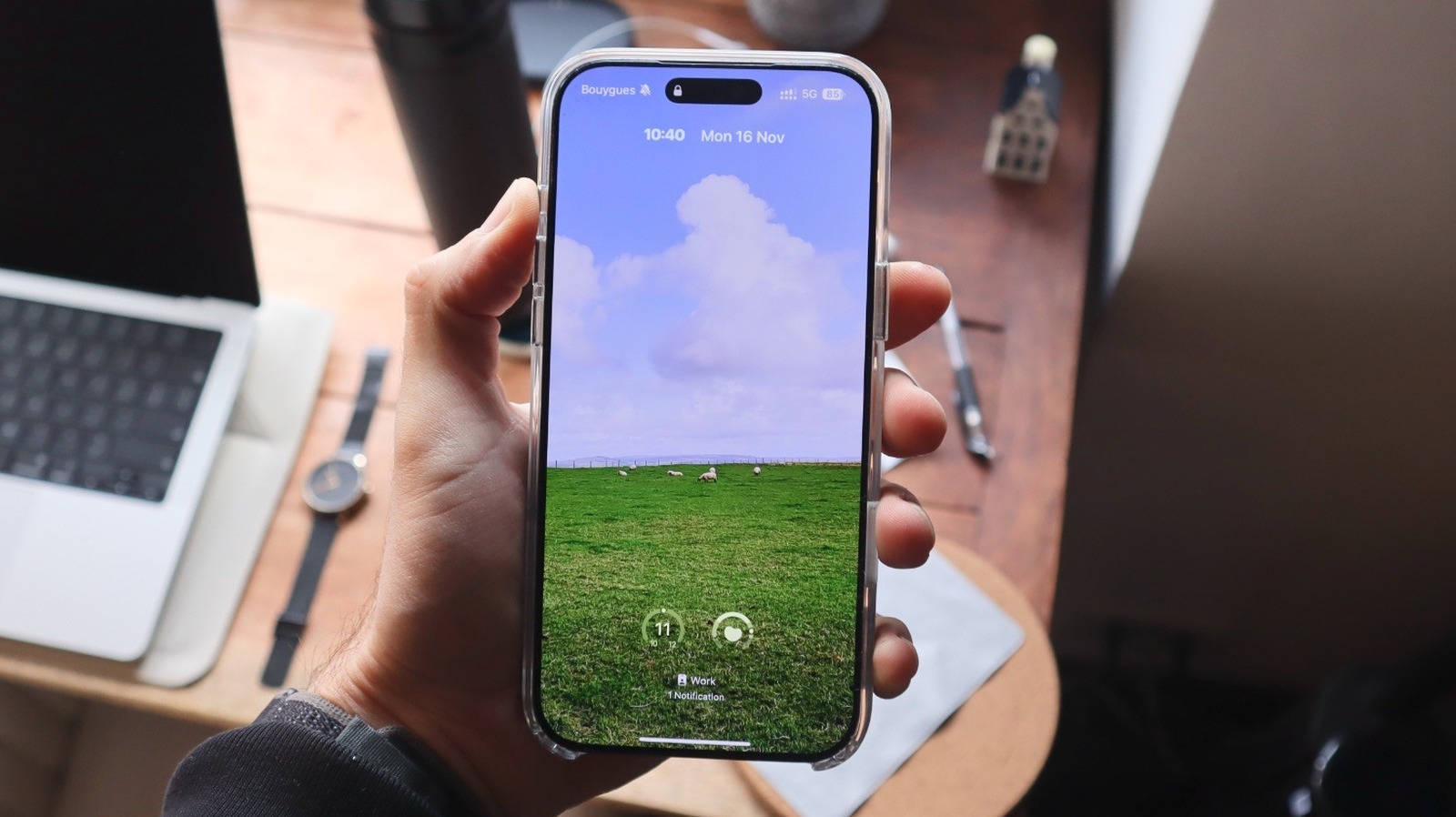
iOS 27 lets iPhone users employ on-device artificial intelligence to extend landscape photos for custom wallpapers and swap default Lock Screen shortcuts with preferred apps. These updates, plus new options to shrink the clock and hide media cards, provide more granular control over the interface.
Customize Lock Screen with AI Photo Extend
Apple released iOS 27 allowing removal of pre-set Flashlight and Camera icons and fitting landscape photos on vertical screens.
Apple moved away from rigid design, allowing for a personalized interface in the latest software update. Users can now fit landscape photos on a vertical screen.
By long-pressing the Lock Screen and entering the customization menu, users zoom out on images. This triggers an “Extend” feature that uses on-device AI to generate matching edges, creating a fit for the display.
The update also addresses the size of the Lock Screen clock. The clock previously occupied a large portion of the screen. Users can now shrink the typography to a smaller, minimalist style.
Tapping the clock in edit mode and selecting the icon with two small rectangles in the font menu collapses the time display into the date area. This provides a cleaner aesthetic. It helps users tailor their device to individual preferences, removing the barrier between a stock device and a personalized interface.

Swapping Default Shortcuts
iOS 27 allows for the removal of pre-set Flashlight and Camera icons. This is useful for those who map these functions to hardware features like the Action Button or Camera Control. The software no longer assumes every user needs immediate access to those specific tools.
Automating Interface Changes with Focus Modes
Focus Modes, introduced in 2021, manage digital distractions. Users link specific Lock Screen configurations to triggers like location, time, or app usage in the Focus tab within the Control Center.
The phone automatically switches from a photo-heavy personal interface to a work-focused layout. It displays only relevant calendar and productivity widgets when the user arrives at the office. This helps users change gears mentally when they leave their professional environment.
Enhancing Dynamic Content
Apple integrated enhancements to the Lock Screen and Dynamic Island as of 2026. Users can now view animated album covers from Apple Music directly on the Lock Screen.
The Dynamic Island provides access to up to three Live Activities simultaneously. This allows for better monitoring of real-time information without needing to unlock the device.
Evolving iPhone Design
DailyVoxa said the company initiated refinements to the Home Screen and Control Center with iOS 18. This set the stage for the visual overhaul that arrived with the Liquid Glass design language in iOS 26.
BGR said these early adjustments coincided with the period when the company should have originally deployed the Apple Intelligence features now available to users. These tools balance utility with personal expression.
UdaipurKiran said the flexibility in iOS 27 encourages users to tailor their devices to individual preferences. This is a change from the static configurations of the past. The company built on the framework established in iOS 15, which first allowed users to link specific Lock Screen configurations to Focus Modes. It has empowered users to automate their interfaces based on their daily context.
Refining Lock Screen Utility
Recent updates challenged assumptions about how users interact with their devices. Piggypedia said the bottom corners of the Lock Screen were historically reserved for the Flashlight and Camera. That arrangement presumed every user required immediate access to those specific tools.
Apple shifted control into the hands of the user by allowing for the replacement of these shortcuts. The visual experience is now more adaptable to personal taste.
UdaipurKiran said the ability to minimize the clock is a new addition in iOS 27. This provides a cleaner look for those who prefer a minimalist aesthetic. These incremental changes allow for a personalized device experience that adapts to the specific needs of the individual throughout their day.
Generating Visuals with Image Playground
The new Image Playground tool provides an alternative for wallpaper creation when personal photos do not meet a specific aesthetic requirement. Users seeking a minimalist look can also toggle off the Now Playing card.
Album artwork or custom imagery can now occupy the entire screen without interruption. The goal is utility over ornamentation. A customization that makes it harder to see the time or access notifications defeats the purpose of a functional mobile interface. How Apple will reconcile these aesthetic choices with future hardware constraints remains unknown.