
People frequently open their phones to check the time or a brief message, only to lose an hour or more navigating through celebrity gossip, pet videos, and stressful news items pushed by algorithms, as reported by Techcrunch.
This habit of spending excessive time consuming social media content is known as doomscrolling. A survey found that 64% of Americans admit to doomscrolling, a practice that researchers warn can negatively affect attention spans and mental health. Long scrolling sessions can trigger brain fatigue, cause difficulty focusing, disrupt sleep patterns, and leave individuals feeling anxious, disheartened, and emotionally drained.
According to androguider.com, breaking this cycle is rarely just a matter of willpower. Sustainable digital habits require realistic settings, practical replacement activities, and regular reviews rather than simply deleting every social application. Effective digital-wellness tools typically combine behavioral prompts, cross-device controls, personalized schedules, and meaningful alternatives to make scrolling less automatic.
Various digital wellness tools address the problem by adding friction, scheduled limits, or intentional replacements. For users who open social media apps automatically without intending to, pause-based applications offer a useful intervention. One Sec, ScreenZen, and similar tools prompt users to take a breath and reflect before a distracting app opens. For individuals who lose extended periods to specific websites and applications, blockers such as Opal and Freedom restrict access.
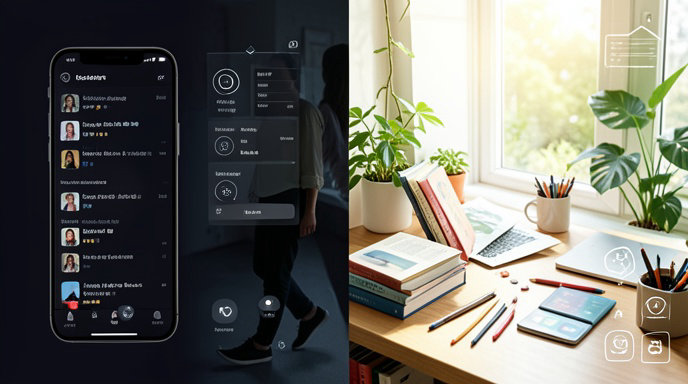
Phone operating systems also include native settings to help manage screen time. On Android devices, users can navigate to Settings, select Digital Wellbeing, and choose App timers, while iOS users can access Screen Time through Settings to configure App and Website Activity limits, as detailed by Popular Science.
Although these limits can be easily bypassed or disabled by the user, they can assist in weaning people off scrolling habits, especially when combined with environmental adjustments such as removing apps from home screens, logging out of services, or disabling nonessential notifications.
Additionally, turning a phone display to grayscale—via Android’s Digital Wellbeing or Accessibility settings—can make the interface significantly less distracting. Samsung Galaxy owners running the latest One UI 9 software can also utilize a new tool called AI Network Guard.
Several applications gamify the process of staying on task and avoiding distractions. Forest rewards focus sessions by growing virtual trees, while other focus tools assist users by structuring their time into concentrated intervals. Timer-based options, Focusmate, and Pomodoro-style apps provide structure and virtual accountability for users whose scrolling stems from unclear tasks.
When looking to replace algorithmic feeds with productive activities, users can turn to reading and learning applications. Libby is a free reading app available on iOS and Android that connects users to local public library collections of audiobooks, ebooks, and magazines using a library card.
Other options include Vocabulary for learning new words with definitions and mini-games, Seterra for testing geography skills with map games, and Drops for foreign language learning. Individual services like Instagram feature built-in time management controls that allow users to set daily limits and enable notification-muting sleep modes.