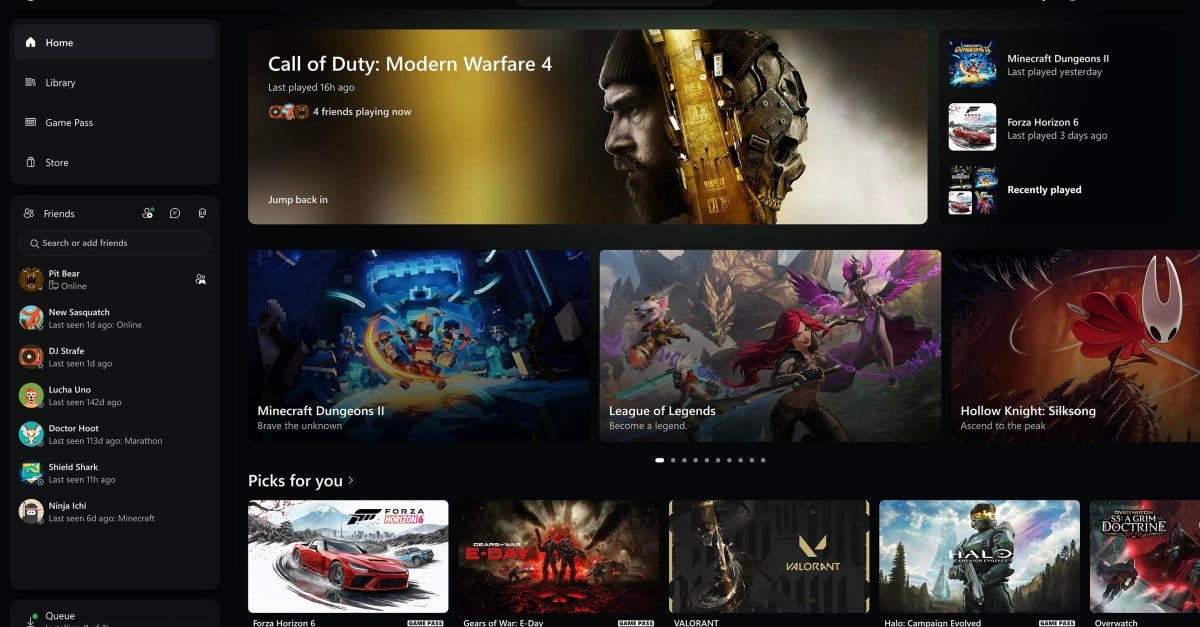
Microsoft rolled out an overhauled Xbox PC app to Xbox Insiders, delivering a faster interface designed to match a visual refresh across web browsers, smart TVs, and VR headsets. The updated app, which has been in testing following earlier leaks, seeks to close the usability gap with established desktop storefronts by prioritizing controller-friendly menus and performance gains.
Xbox PC App Speeds Up by 60 Percent
The central change is a speed boost. Microsoft says it makes the Xbox PC app launch up to 60 percent faster than previous iterations. According to internal company benchmarks, everyday sections experience sharp reductions in wait times.
The Home, Store, and Game Pass tabs load up to 50 percent faster. Windows inside the app open up to 65 percent quicker.
These performance metrics stem from Microsoft’s internal testing. The company cautioned in a footnote that actual performance varies depending on an individual device, internet connection, system configuration, and usage.
The underlying web-app architecture eliminates much of the sluggish rubber-banding previously observed on portable hardware like the Asus ROG Ally X and MSI Claw 8 EX AI+. Jason Beaumont, VP of Xbox experiences, explained the strategy behind the overhaul:
These changes are part of our work to make Xbox faster, simpler, and more familiar wherever you play.
Jason Beaumont, VP of Xbox experiences
Library, Unified Search, and Social Menus
The library section now features simplified menu design, updated filters, and better organization tools for installed games.
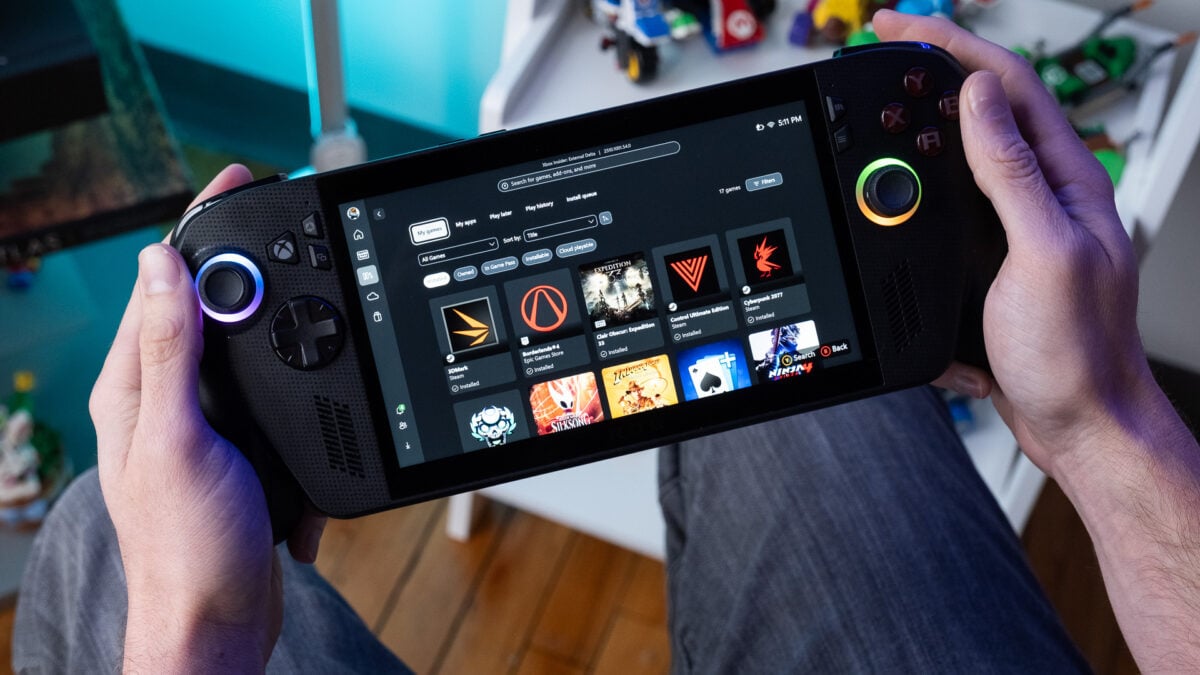
Search functionality is consolidated into a single interface that spans installed games, add-ons, and other users. Social features have moved directly into the main menu.
Friends are now listed on the main page, complete with quick action buttons to start chats or join parties without digging through sub-menus.
The BIG Xbox PC app overhaul is finally here for Xbox Insiders on Windows 11 devices, Xbox Ally and other handhelds, and beyond. Here's how you can get it early: https://t.co/sChXV7w9eM 🙏
Asha Sharma is the Xbox CEO. Asha Sharma promoted the launch on X.
Asha Sharma described the release as a meaningful improvement, with plenty more to do
alongside the goal of making XBOX on Windows faster and more responsive.
Cloud Gaming Expands to Web, TVs, and VR Headsets
Microsoft is automatically rolling out a refreshed web experience for Xbox Cloud Gaming at play.xbox.com over the coming weeks. The updated web layout includes a dedicated library tab that aggregates cloud-compatible titles—including games users own alongside Game Pass selections—sorted by genre, input options, and recent activity.
A faster, simpler XBOX experience is rolling out. Get the latest on what's new across the XBOX PC app, web, and cloud gaming: https://t.co/lb6VlXQcPm
A new desktop mode optimizes larger displays.
Accessibility options include light and dark themes alongside five high-contrast settings.
Still a lot of work to do on the new Xbox PC app, but it's a good starting point. BattleNet, GoG, etc. games have ugly JPEG icons in the system by default, stuff like "Xbox Mode" and Remote Play have been hidden away in settings menus for some reason … but it's much faster! pic.twitter.com/67EofMYIrj
Similar interface updates are heading to cloud gaming apps on supported televisions.
Similar interface updates are heading to virtual reality headsets.
The company noted that each experience needs to work well for the screen being used.
Feature Gap Remains Against Valve’s Steam
The Xbox PC app still has a feature gap compared to Steam, including a lack of community tooling, in-app mod delivery, and curation.
The timing follows performance updates from competing launchers like the Epic Games Store and Steam.
I like how the new Xbox PC app feels more console-like on a handheld. Details here: https://t.co/rtigCtOd83 pic.twitter.com/UEEXNIAVHd
Microsoft’s primary draw rests on the steady subscriber draw of Game Pass.
The company has continued investing in its PC client even as its console business has struggled.
Gamers wanting to test the new PC app immediately can enroll through the Xbox Insider Hub on Windows by selecting PC gaming under the Previews panel.