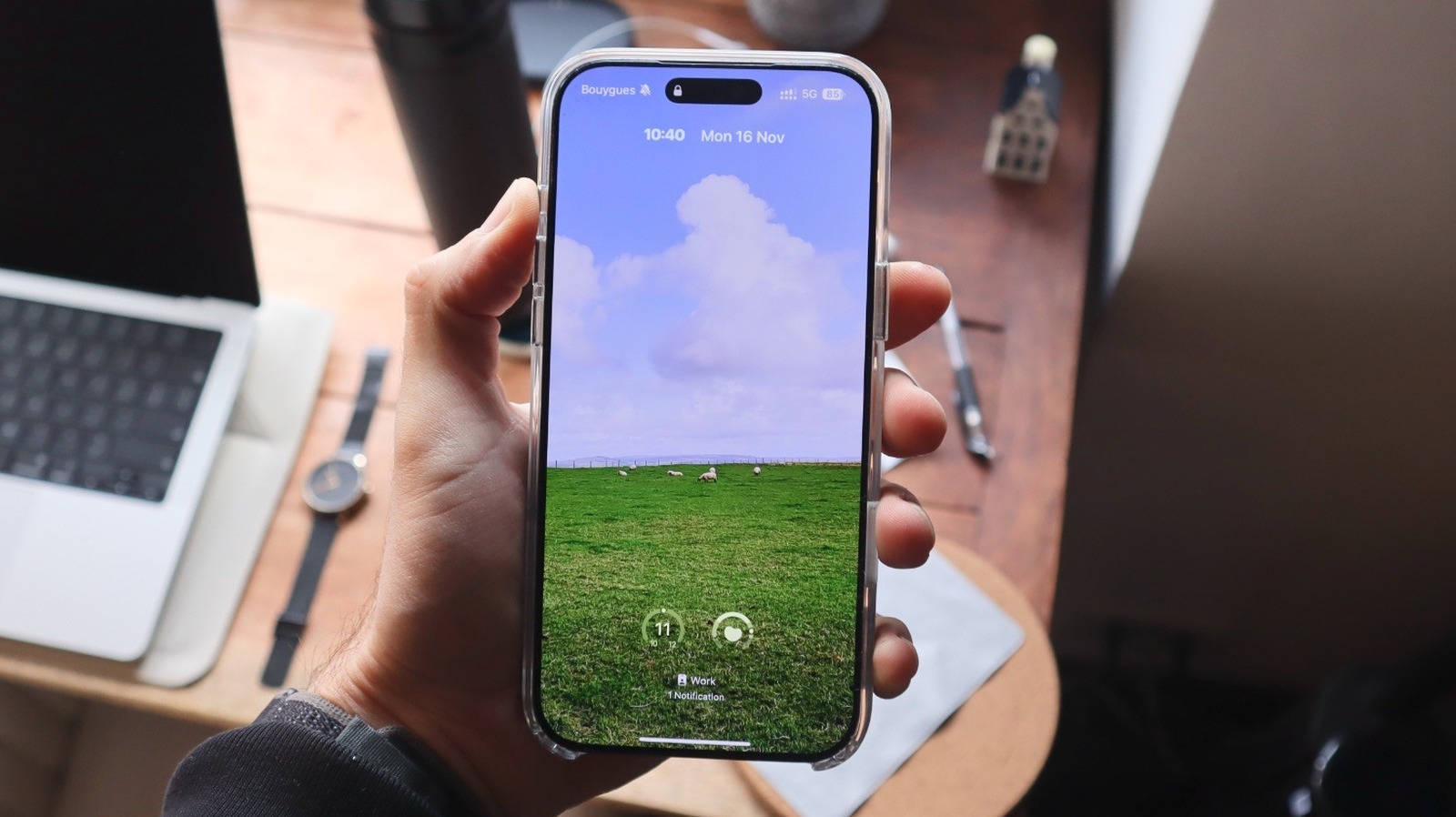
iPhone users running iOS 27 can now exercise significantly more control over their Lock Screen, moving away from Apple’s previously rigid design constraints. The latest update introduces on-device artificial intelligence tools to extend wallpaper images and offers new ways to minimize the clock, remove default widgets, and automate interface changes based on time or location.
Extend Wallpapers Vertically with on-Device AI
If you have a landscape photo that fails to align with the vertical orientation of an iPhone screen, iOS 27 now includes an “Extend” feature. On-device AI then generates the missing edges, filling in gaps to create a cohesive wallpaper that matches the original aesthetic.
Users can also create unique backgrounds by tapping the plus button during lock screen customization and selecting ‘Image Playground’ to describe their ideal image. The system uses in-device AI to recreate parts of the image to fit the specific mood the user is seeking.
The evolution of this interface has been a multi-year project. As of 2026, the software also supports features like animated album covers from Apple Music and the ability to track up to three Live Activities within the Dynamic Island. This flexibility encourages users to tailor their device to individual preferences.
Shrink Clock and Replace Default Lock Screen Shortcuts
While previous design iterations favored bold, oversized clock typography, iOS 27 introduces a reprieve for users seeking a minimalist look. This new minimalistic approach adds a contemporary touch to the lock screen.

Users can also reclaim the bottom corners of their screens. Those who rely on the Action Button or Camera Control for immediate access to tools like the flashlight or camera can now strip away these pre-set defaults.
In their place, you can add shortcuts for other tools that you might want to access more quickly if the standard options are redundant for you. Users can remove the Now Playing card from the lock screen, achieving a streamlined design while still listening to music; the audio will continue to play even without the visual interface card present.
Tracing Historical Shifts in Customization
Apple’s trajectory toward granular interface control marks a significant departure from its earlier, more rigid design philosophy. According to BGR, this extensive revamp of iPhone customization began with iOS 18, a release that coincided with the timing when the company was expected to debut its full suite of Apple Intelligence features.
Dailyvoxa notes that iOS 18 also brought essential improvements to the Home Screen and Control Center, while laying the groundwork for the later introduction of the Liquid Glass design language in iOS 26.
These refinements have evolved steadily, moving beyond basic wallpaper adjustments. Piggypedia highlights that this era of personalization also addresses long-standing interface defaults, such as the bottom corners of the lock screen being historically locked to the Flashlight and Camera, a limitation that assumed every user required identical quick-access tools.
Expanding Modern Device Utility
The current state of iPhone customization emphasizes utility alongside visual flair. BGR notes that for users on iOS 27, the ability to extend wallpapers using the new Siri AI integration is among the most effective ways to refresh a device’s look. Piggypedia suggests that readers interested in these technical advancements may also like to read about the performance testing of the 28-Core Intel “Nova Lake-S” processor.
Dailyvoxa emphasizes that these features are part of a broader strategy to encourage individual expression, allowing users to tailor their devices to specific personal preferences. By moving away from standardized layouts, Apple now enables a more flexible, user-centric mobile experience that balances aesthetic personalization with functional requirements.
Automating Context with Focus Modes
Focus Modes, first introduced in the 2021 iOS 15 update, allow users to tie specific Lock Screen configurations to their habits or environment.
By accessing the Focus tab within the Control Center, you can map unique widget sets and wallpapers to specific triggers, such as arriving at the office, commuting, or even attending swim practice. Users can set specific filters and notification settings that adapt to their location or time of day, offering a tailored experience.
This automation prevents the clutter of personal notifications during work hours. As the phone recognizes your location or activity, it automatically replaces your photo-heavy screen with a productivity-focused layout. This functionality helps users shift gears mentally the moment they leave their professional environment.
If a customization makes it harder to see the time or access your notifications, it has defeated the purpose of a functional mobile interface, so the goal remains utility over ornamentation.