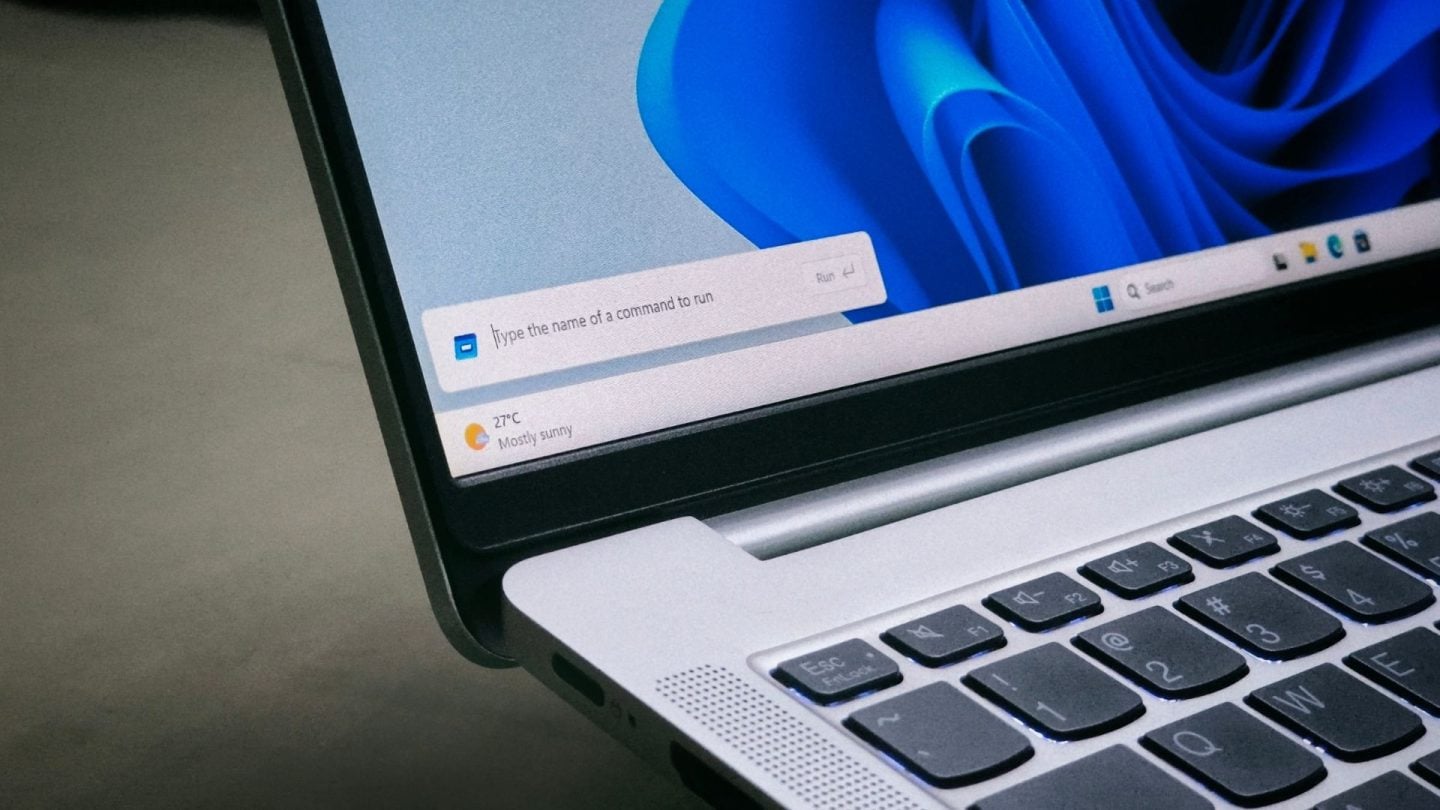
Microsoft is rolling out a modernized Windows 11 Run dialog that opens in a median of 94ms, compared to the 103ms speed of the Windows 95-era legacy Run.
The updated tool features dark mode and a home folder shortcut.
Microsoft Updates Run Dialog with Modern Design
“The Run dialog has been updated with a more modern design and improved usability,” Microsoft said in the November 13 build release notes. Because the deployment is happening progressively, your machine might not receive it immediately upon installing the update. Having initially appeared as a hidden setting in Windows 11 preview builds, the redesigned Run was made available as an opt-in choice for Experimental channel Insiders back in May with build 26300.8346.
Rest assured, the updated Run functions properly across all taskbar alignments just like its predecessor, and no bugs were encountered during testing.
Why Microsoft Cut the Browse Button
Before rewriting Run, Microsoft’s Command Line team briefly measured how people used the old dialog.

“0.0038% of users have clicked that button with a sample of 35 million,” Microsoft Principal Product Manager Clint Rutkas told Windows Latest.
Users can still input local and network paths directly, and a change that allows the ~ (tilde) character to be handled in the File Explorer address bar is being tested. The first release of the new Windows Search will be English-only. No release notes or blog posts will be published, and the version will be confirmed via Flight Hub.
How to Enable or Disable the Modern Run Interface
The modern Run is optional, and Microsoft hasn’t removed the classic dialog. Following receipt of the update—whether through Release Preview, the Optional update this month, or December’s Patch Tuesday—you can enable it by using the instructions below:

Users can enable the interface by opening Settings > System > Advanced and activating the Run Dialog option under Taskbar.
Windows 11 Insider Preview Updates the Beta Channel
Microsoft is continuing work on Windows 11 quality improvements. On November 6 (local time), Microsoft updated the delivery builds of Windows 11 Insider Preview. Updating the Beta Channel's standard release to Windows 11 version 26H2 and build number 26320 is the primary change in this update. Since this is distributed via an enablement package (eKB), the higher build designation does not translate to any major overhaul of the user experience.