Microsoft rolled out its final scheduled non-security preview update of the year for Windows 11 on November 19, 2026, bringing an overhauled search architecture and a redesigned system Run dialog across supported versions.
- The KB5132057 update advances Windows 11 versions 25H2 and 26H2 to operating system builds 26200.10075 and 26300.10075.
- File Explorer searches initiated from This PC now utilize the Windows indexer for considerably faster retrieval speeds.
- A modernized Run dialog is now available, though users must manually enable it through system settings.
Windows Search Rebuilt with WinUI 3 Architecture
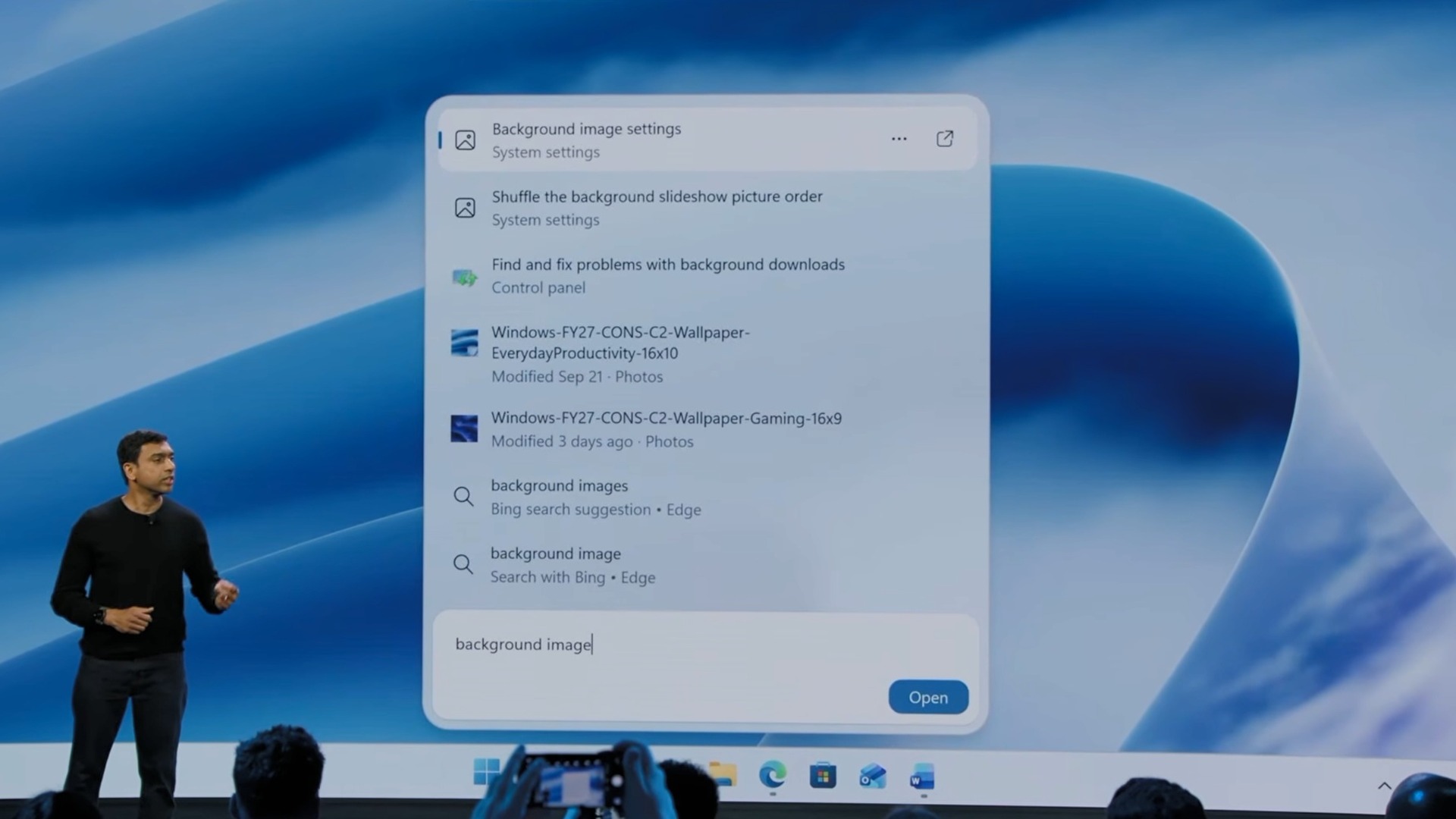
The headline feature in the November release is a completely rebuilt Windows Search interface designed to address long-standing performance bottlenecks. Previously, the taskbar search feature relied on WebView2, which essentially loaded an instance of Microsoft Edge every time the search box opened, driving up memory consumption and introducing noticeable latency.
The updated search tool swaps that architecture for a WinUI 3-based design that displays results in a single, streamlined list while consuming fewer system resources. Beyond visual tidying, the system now natively processes typos, synonyms, and short two-character queries without redirecting users to Bing.
Users see results appear in one simplified list, and Microsoft says the new experience also uses memory more efficiently. Critics have pointed out that Windows Search performed briskly on correctly indexed drives already, implying that the patch likely expands current indexing capabilities to additional directories rather than launching a brand-new search infrastructure.
Further performance metrics across diverse computer builds and storage types must be evaluated through third-party benchmarks and broader consumer feedback before overall speed increases can be accurately quantified.
File Explorer has received a parallel performance boost. Searches started from This PC now route directly through the Windows indexer, bringing them in line with the quicker response times typically found in File Explorer’s Home section even when scanning folders containing hundreds or thousands of files.
Search Box Adds Inline System Controls and Phone Link Actions
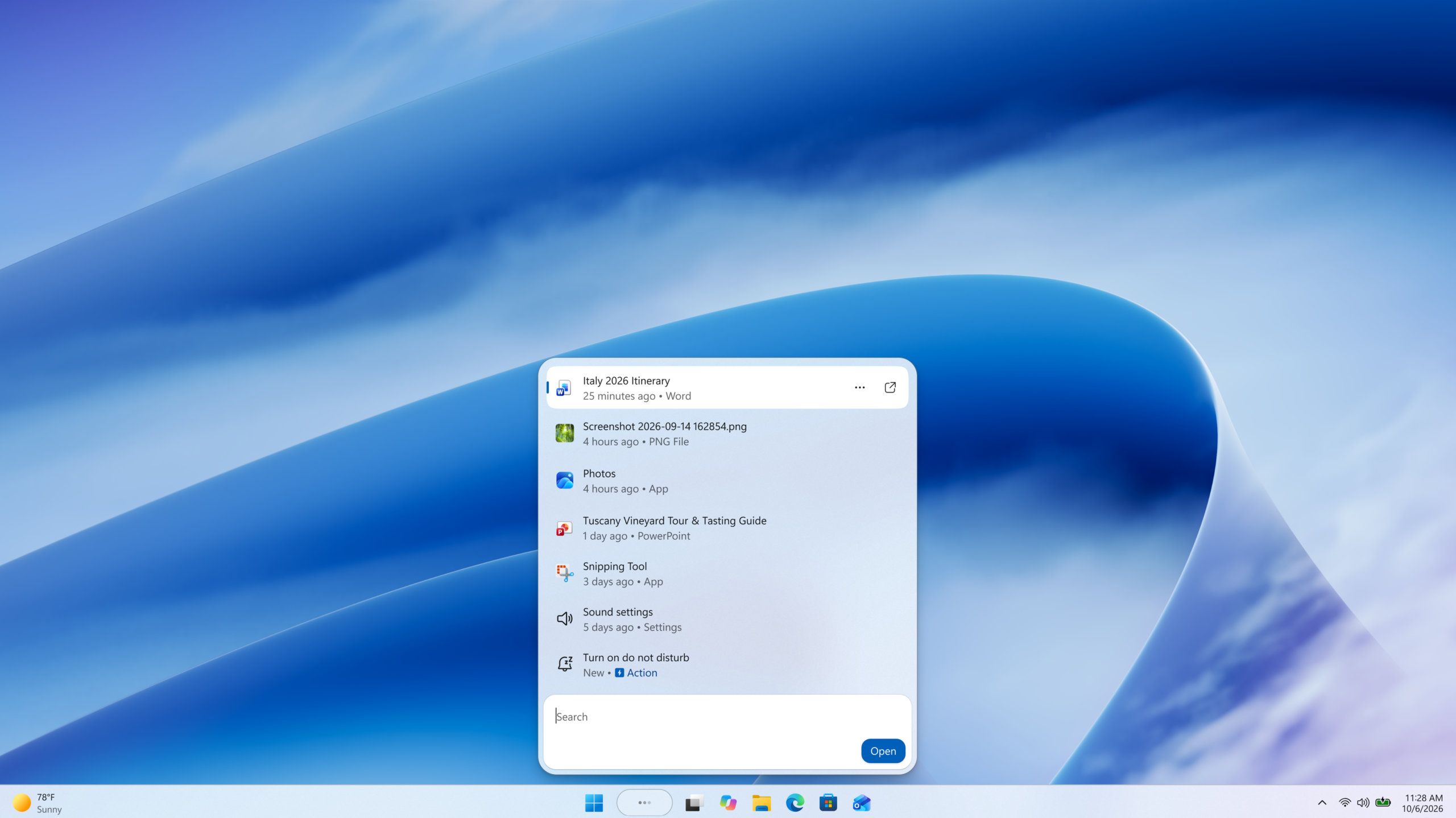
Users can now execute common system commands directly from the search box without opening the Settings app. Supported tasks include toggling dark mode or Bluetooth, adjusting display screen brightness, muting audio, and arranging open windows alongside calling or texting connected Android handsets through Phone Link integration.
Should an Android device be linked via Phone Link, operators can trigger a missing handset alarm or activate Do Not Disturb straight from the search field.

File lookups additionally yield richer outcomes, offering direct in-line previews accompanied by metadata such as file creation authorship, storage directories, and recent edit timestamps. Enhanced web data is now embedded directly inside the streamlined search panel, delivering factual query answers, current stock values, and meteorological forecasts.
The update also introduces targeted fixes for common hardware annoyances. Accidentally pressing the Shift key five times no longer forces an involuntary drop to the desktop without an exit route, as the Sticky Keys pop-up now includes a direct toggle to disable the shortcut right from the prompt. Additionally, Windows Hello facial recognition gains an optional setting to briefly brighten device display screens during authentication in dark rooms.
Update Fixes Sage 50 Crashes and Miracast Resolution Issues
Quality fixes cover Sage 50 Accounting crashes, low Miracast resolution, a false “Someone else is using this PC” warning, and File History restores that failed to find backups. The update also removes the “Someone else is using this PC” prompt from being incorrectly displayed when no other users are logged in.
Among the fixes in the normal rollout, Microsoft lists a “Something went wrong” error during passkey authentication with Android devices and a “Something went wrong” warning that could appear during a restart or shutdown even when nobody was signed in. Within XBOX mode, the Gaming Task View navigation bar now incorporates Quick settings, granting immediate availability to every taskbar toggle option without requiring users to exit XBOX mode.
This layout modification is especially practical for portable gaming PCs. Switching to the standard Windows desktop is ideally unnecessary when adjustments to audio volume, network connections, or other system controls are needed mid-game.
To improve visibility during active recording sessions, the visual frame surrounding captured video output has been shifted from yellow to red. Finding the mouse cursor is now simpler for individuals with visual impairments thanks to a new Pointer indicator feature. Windows Settings now makes it easier to find the benefits and services available with your Microsoft account.
Resolving a prior input bug, this patch eliminates an erroneous extra character that previously prepended Japanese text inputs within RemoteApp programs. On Arm-based hardware utilizing a TPM 2.0 Command Response Buffer (CRB) module, this update resolves issues that could trigger unexpected system boot crashes or Trusted Platform Module startup failures. This update improves the security key, and a separate preview, KB5132265, serves version 26H1 and raises that build to 28000.3620.

Facial Recognition Gains Automatic Brightness Adjustment Option
BleepingComputer reported that after installing the November preview update, users can enable an option under Settings, Accounts, Sign-in options, and Facial recognition to automatically adjust screen brightness during facial recognition, improving Windows Hello sign-ins in dark rooms. Windows Central said that if users accidentally trigger the keyboard shortcut for Sticky Keys, Filter Keys, or Toggle Keys, they can now turn it off directly from the prompt that appears.
Shiftdelete.net reported that the patch upgrades specific underlying artificial intelligence modules—namely Content Extraction, Image Search, Settings Model, and Semantic Analysis—to build version 1.2611.1231.0. BigGo Finance explained that the release is a preview intended to test features and fixes ahead of December’s Patch Tuesday rather than act as a security update, making installation voluntary.
Managing Optional Installations and Deployment Rules
BleepingComputer issued an advisory indicating that installation routines for current and upcoming Windows updates over the coming months may occasionally subject a select group of commercial and consumer workstations to an extra system reboot.
The Register said that Microsoft still lists the problem with SQL Server queries using OLE DB providers leaving connections open as something for which a resolution is being worked on for a future Windows update. gHacks and BetaNews highlighted that the new Windows Search features a streamlined design, improved performance, and a lighter memory footprint, displaying results in a single, simplified list.
Deployment Plans and Holiday Schedule
Because KB5132057 is an optional preview release, the package does not install automatically unless users manually check for updates via Windows Settings or download the standalone .msu installer files from the Microsoft Update Catalog. Manual deployment of KB5132057 involves going through Windows Settings, accessing Windows Update, and selecting 'Check for Updates'.
Because this build is classified as optional, users must manually select the “Download and install” prompt unless the toggle for “Get the latest updates as soon as they're available” is already active, which would otherwise force automated OS installation. Windows 11 version 24H2 will not receive this update until its scheduled maintenance window opens on or after December 8, 2026.
Alongside the main feature drop, Microsoft also published new initial setup and recovery updates under KB5102558 and KB5095615 alongside out-of-box experience packages for active Windows 11 environments, and these OOBE updates will install automatically during setup if the user has an active internet connection. Due to holiday staffing reductions, no secondary non-security preview updates will ship in December, and the standard monthly maintenance cycle will resume in January 2027.