Microsoft released the Windows 11 KB5135000 cumulative update on Thursday delivering mandatory out-of-box experience improvements for operating system versions 24H2, 25H2, and 26H2.
On the same day, according to BigGo Finance, the company also released its November 2026 non-security preview update for Windows 11 under the designation KB5132057.
- The KB5135000 OOBE cumulative update targets Windows 11 versions 24H2, 25H2, and 26H2.
- Version 24H2 will receive the setup package during its regular servicing period on or after December 8, 2026.
- Active internet connections allow setup routines to download critical driver updates and zero-day patches automatically.
Initial Setup Changes Across Windows 11 Versions
The initial setup routine, known as the out-of-box experience, runs immediately after the operating system finishes installing. Alongside cumulative package KB5135000, Microsoft published a separate setup update designated as KB5134999 specifically for version 26H1, as Neowin reported. These packages apply exclusively to the setup phase and install automatically if the device maintains an active network connection during configuration.
During the setup process, connected machines automatically retrieve critical driver updates and zero-day patches to ensure proper device functionality before the desktop environment loads. Devices may also pull down the latest operating system builds during the final stages of setup if a newer release is available than the pre-installed media, ensuring the system starts with current security and feature sets.
Meanwhile, the optional preview update KB5132057 advances Windows 11 versions 25H2 and 26H2 to operating system builds 26200.10075 and 26300.10075, respectively, as reported by Windows Latest and igor´sLAB. According to Windows Latest, the package is almost 5GB in size.
BleepingComputer said that unlike regular cumulative updates, monthly optional updates do not include security fixes and provide only quality improvements. A separate preview, KB5132265, serves version 26H1 and raises that build to 28000.3620, according to BigGo Finance.
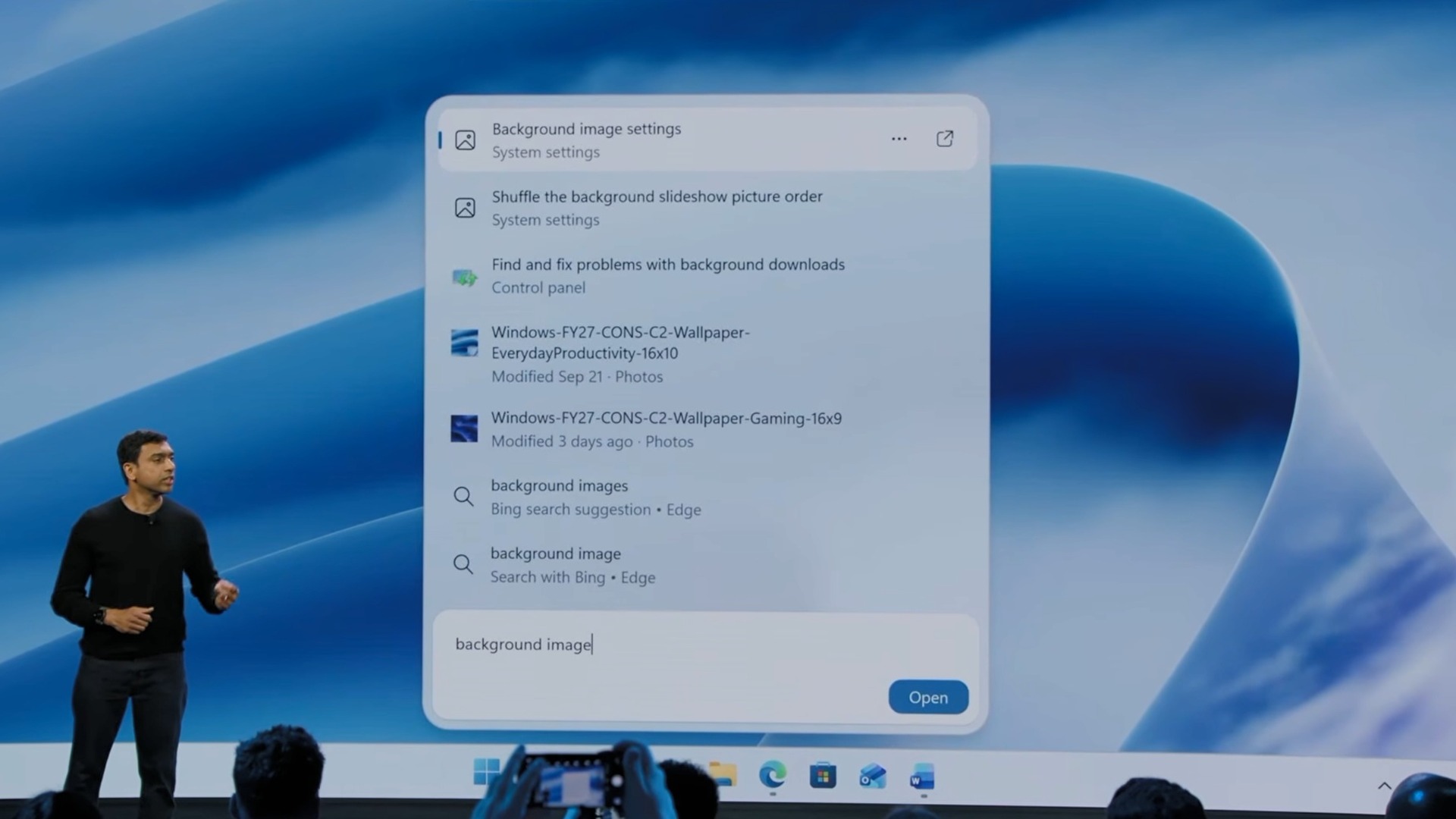
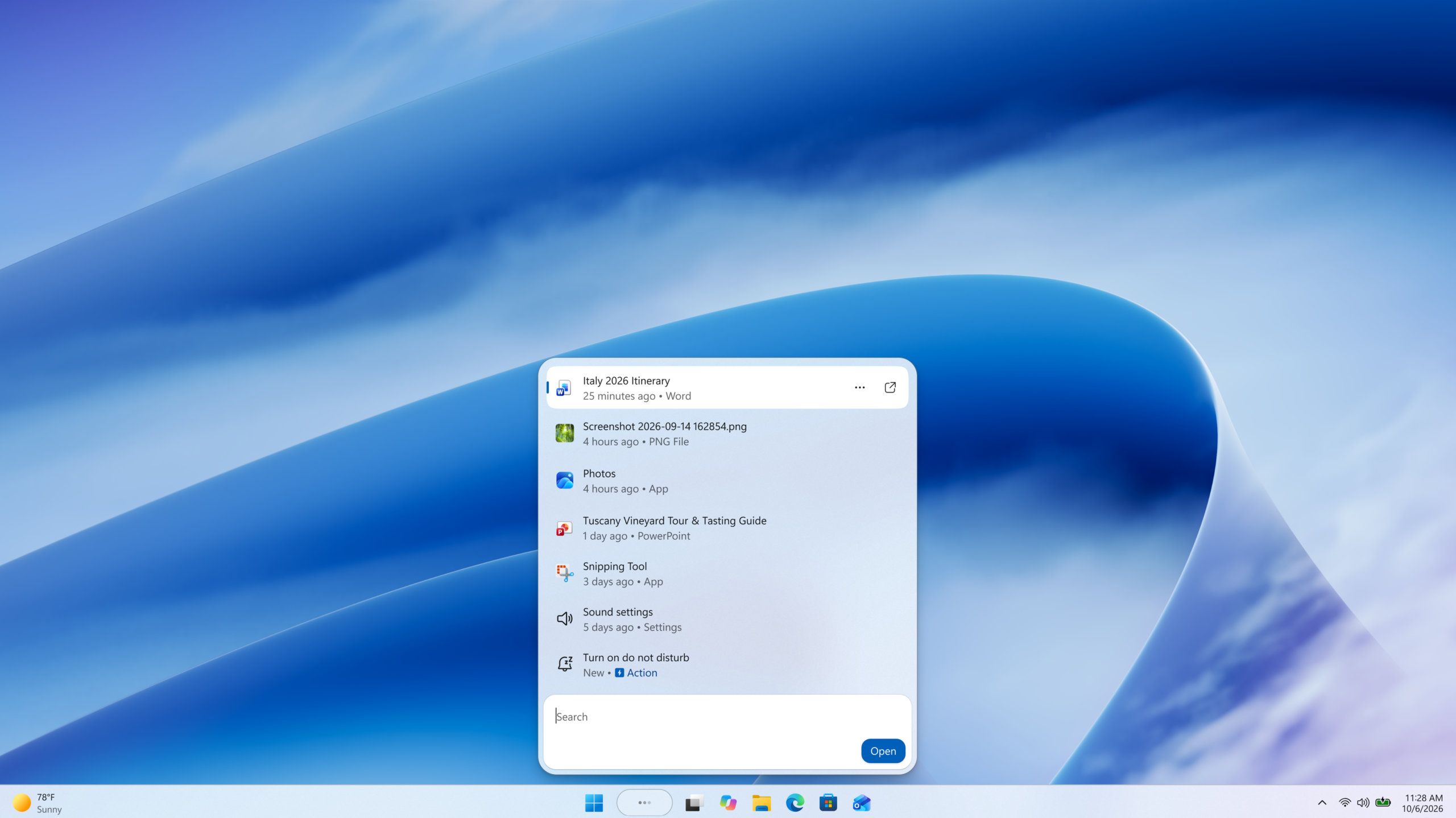
The headline addition in KB5132057 is a completely redesigned Windows Search experience built on WinUI 3, which Windows Central and Wccftech described. According to igor´sLAB, Microsoft has redesigned its interface and will consolidate search results into a simplified list going forward. BleepingComputer reported that the redesign removes promotional content from web results for better resource efficiency and a streamlined design. Wccftech.com said that early user feedback from Reddit user u/thet39 indicated File Explorer searches now return results almost immediately, which Windows Latest and BleepingComputer attributed to searches initiated from This PC now using the Windows indexer.
Windows Central explained that inline actions let users complete common tasks directly from search, such as turning on dark mode or Bluetooth, adjusting screen brightness, muting the device, or arranging open windows. BigGo Finance and Windows Central added that when an Android phone is connected through Phone Link, users can call or text contacts and access phone actions like Find my phone and Do Not Disturb.
The update also introduces other significant usability enhancements. According to Windows Central, Windows Hello facial recognition can now temporarily brighten the screen in dimly lit rooms, a feature that can be enabled by going to “Settings > Accounts > Sign-in options > Facial recognition (Windows Hello) and turning on Automatically adjust screen brightness during face recognition.” BleepingComputer said that the update adds a new Run dialog unveiled in May with an almost instant time-to-show of just 94 ms, which can be enabled by toggling on New Run dialog under “Settings > System > Advanced.” Additionally, Windows Central said that XBOX mode brings Quick settings to the Gaming Task View navigation bar.
Additional Features and System Enhancements
According to igor´sLAB, the File Explorer, Xbox mode, and Windows Hello sign-in are also getting changes, and for supported actions, there is no need to open Windows Settings first.
BGR pointed out that the Run dialog box features a refreshed design and better usability, Windows Hello can automatically increase screen brightness for more reliable facial recognition in dark settings, fresh notifications appear when a widget becomes ready following an app installation, a brand-new Pointer Indicator capability helps track your mouse cursor, and the screen capture tool now displays a red outline while actively recording.

Windows Central highlighted that the updated search resolves minor annoyances—such as dealing with typos more accurately—while also providing deeper file data, including timestamps for when files were last altered. BetaNews said that Windows Search now displays results in a single, simplified list, and it added that results come back quicker on a lighter memory footprint.
KB5132057 Requires Manual Download via Windows Update
To obtain KB5132057, BleepingComputer advised going to Windows Settings, selecting Windows Update, and then choosing 'Check for Updates.' Because KB5132057 is an optional release, users who do not have the toggle for getting the latest updates as soon as they are ready turned on must manually select the Download and install button to trigger the installation process.
BigGo Finance observed that this software package serves as an optional preview designed to evaluate upcoming fixes and features prior to December’s Patch Tuesday rather than containing security patches, meaning installation is completely optional. Microsoft confirmed the holiday schedule means there will be no non-security preview in December 2026, positioning the upcoming Patch Tuesday as the final software refresh of the year.

Bug Fixes and Additional Quality Improvements
The resolved issues encompass Sage 50 Accounting application crashes, insufficient Miracast display resolutions, an erroneous warning stating Someone else is using this PC, and instances where File History restores failed to locate prior backups. This distribution is offered via Windows Update as well as the Microsoft Update Catalog, targeting ARM64 hardware running Snapdragon X2 Elite, Elite Extreme, and X2 Plus processors alongside x64 architecture computers that have been migrated to 26H1 using official ISO media.
Should you accidentally activate the keyboard shortcut for Toggle Keys, Filter Keys, or Sticky Keys, you are now able to disable it instantly straight from the resulting notification prompt. This arrives in the wake of the July refresh, which purged advertisements and promotional items from Search alongside introducing a toggle to conceal web and Microsoft Store recommendations.